
IPv6 /64: 2607:f2c0:a000:c3::/64
IPv6 /56: 2607:f2c0:f00f:5900::/56
or
IPv6 /64: 2607:f2c0:a000:c2::/64
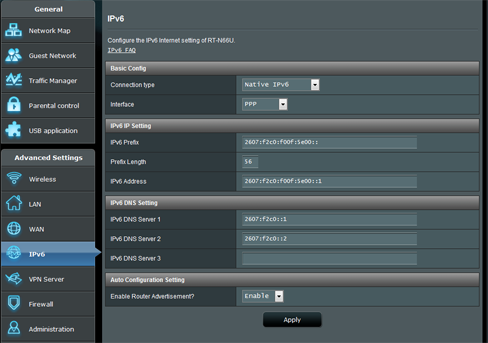
IPv6 /56: 2607:f2c0:f00f:5e00::/56
When connecting my PC directly to the modem and initiating a direct PPoE connection using the PC I am able to get an IPv6 address.
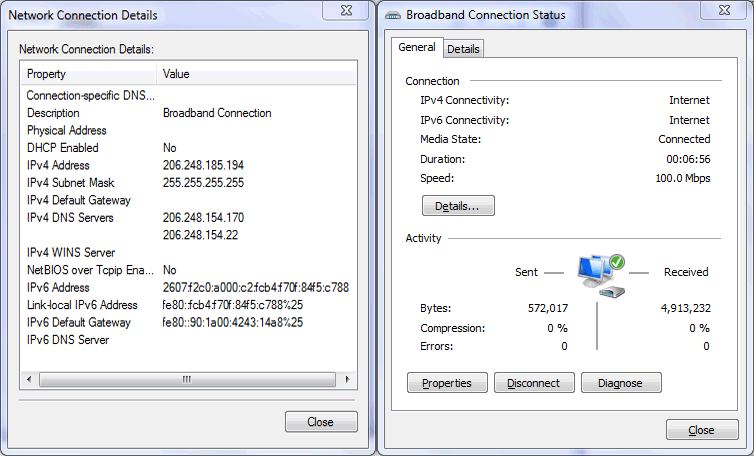
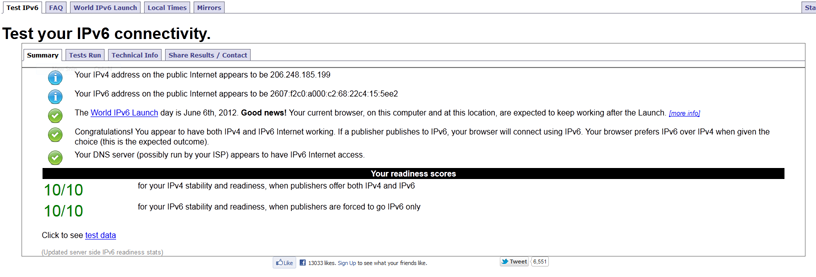

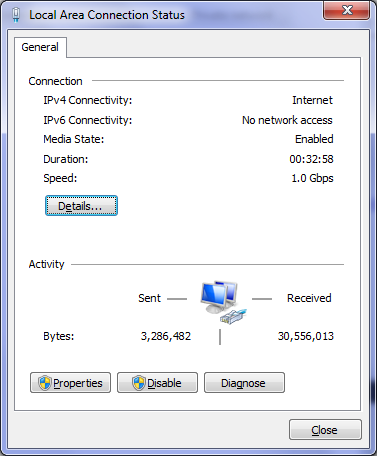
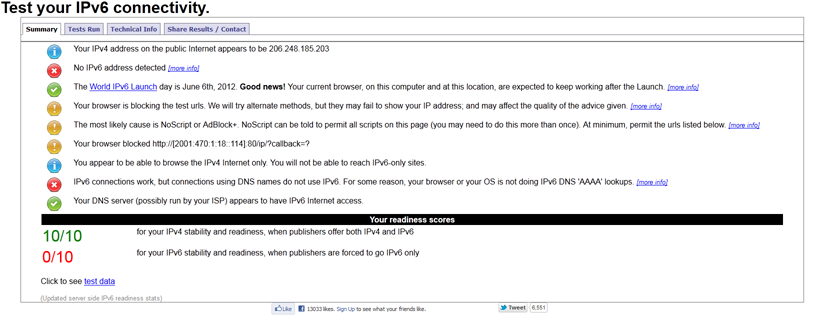
When connecting the e4200v2 to the modem and the PC to the e4200v2 I am unable to get an IPv6 address and neither is the e4200v2.

 />
/>
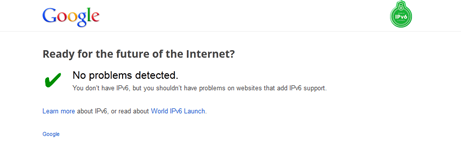

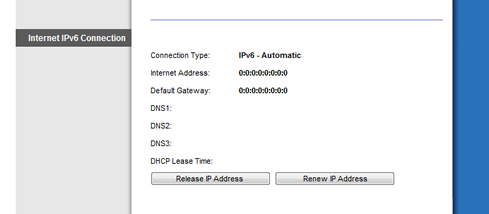
Got it working with Asus' RT-N66U router. Have boxed up the e4200v2 router and given it to a friend.
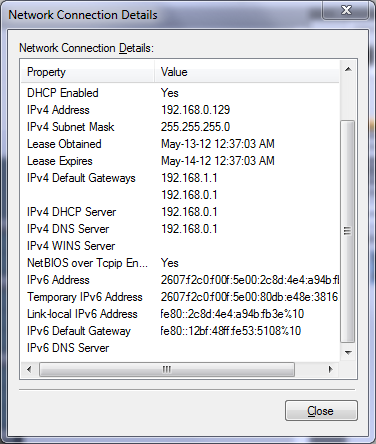
I called support. The woman I spoke with said that she was not allowed to set anything unless the same setting was also available in the directly in the Cellpipe modem menu. I told her there were lots of options within the router that were not in the modem. She told me If it was in the modem menu she would show me how to set it manually in the router. I tried to explain the issue for 45 mins, but she stuck by her guns. She said there was a manual setting, but was not allowed to show me as the same settings, which she could not disclose, were not in the modem menus.
I was also asked if I wanted to purchase extended tehcnical support to match the modem warranty as my technical support will expire in 2 weeks.
I then did a live chat and provided him with the webpage in my previous post. I asked them to open a ticket to 2nd level or development and he said sure, then changed his mind and asked me to send an email to support@linksys.com. I emailed support@linksys.com and got an autoresponse saying they were discontinuing email support. It did give me a ticket number, but I am not sure if a case was opened.
...
from Ramzanali (71461) to All Participants:
Would it be fine if I provide you with our dedicated phone support number and the agent will assist you over the phone remotely.
from Ramzanali (71461) to All Participants:
and the number is 1-800-326-7114
from Mark Eccleston to All Participants:
ok, but this looks like a firmware bug, rather than a technical support issue. I would rather you just escalate it to that department as there is no setting within the router to make it work. It is built into the protocol. This does work with other routers.
from Ramzanali (71461) to All Participants:
Cretainly I will forward this to the correct department and the development team will look into it
...
from Mark Eccleston to All Participants:
So, if you would be so kind as to put it to development and include the link gave you, it would be appreciated
from Ramzanali (71461) to All Participants:
Certainly, I will do my best
from Ramzanali (71461) to All Participants:
Well even you can launch your complain on support@linksys.com
from Mark Eccleston to All Participants:
Very well
from Ramzanali (71461) to All Participants:
Is there any other Cisco product that you need help with?
from Mark Eccleston to All Participants:
No
Please note Technical support email is being discontinued as a tool & service channel.
Cisco offers several self-support tools and resources to assist you with installation, configuration and troubleshooting. These resources are made available online 24/7:
Online Technical Support – Visit home.cisco.com/support . Find technical solutions, troubleshooting tips, and downloads for your device.
Guide Me - Get quick, personalized step-by-step solutions and troubleshooting tips for your Linksys devices.
Cisco Home Community - Interact with other Linksys Cisco customers and post your question online. Other community members will provide troubleshooting tips and solutions in a very constructive and powerful environment.
Live Chat - Chat with an agent who will help you troubleshoot the issue and provide the appropriate solution in real time.
Take advantage of all our support resources!
